EARIST-CIT Research Center
VB.NET Visual Studio Express MySQL MySQL Workbench
When: 2019
Contribution: Full Stack Developer
Description: A Windows form application developed on VB.NET Language and Oracle's MySQL for its Database. This App is design and developed to help Students of EARIST-CIT to easily and conviently view past thesis reasearch materials of students of CIT(College of Industrial Techonology).
Instead of Looking on the CIT Research's Bookshelves to fetch some research materials(Bookbinded Thesis Research), they can now just go to the one of reasearch faculty's computer. create an account, login to the system and they can now search and view(in the form of Scanned PDF) some research materials with the option to use the system`s filtering algorithms, which they can search it by Year, Thesis Adviser, and lastly by Course and Major. This will not help only the students, but the CIT Research Coordinator itself, because they can track students who goes by easily and with the option to print reports of students who visit and search for some materials instead of looking on the logbook.They can also print reports of all the current research materials that are stocked on the research room and stored in the system.
CIT Reasearch Center development follows agile best practices like a single coding standard to which all programmers adhere, simple design UI for Users so they can easily navigate the system, Test-Driven Development to elimnate all possible bugs and unwanted results, etc.
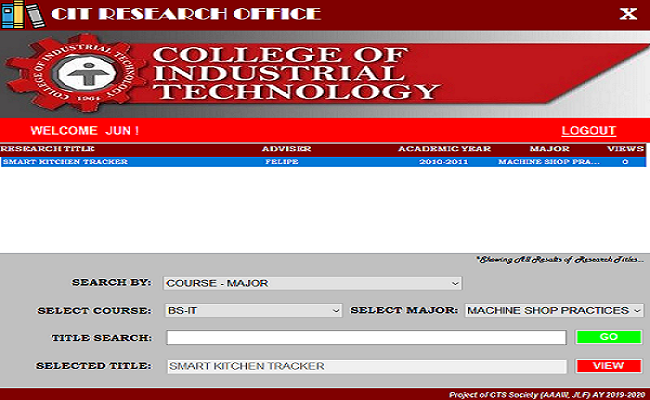
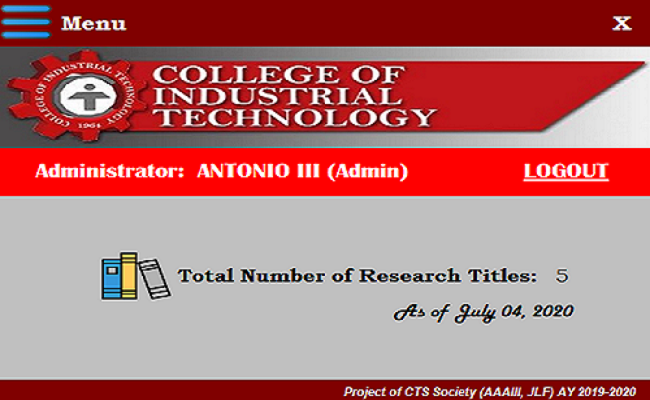
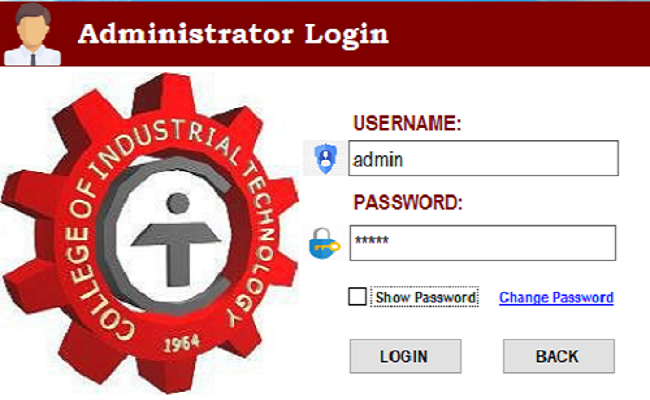
Creating CIT Research Center
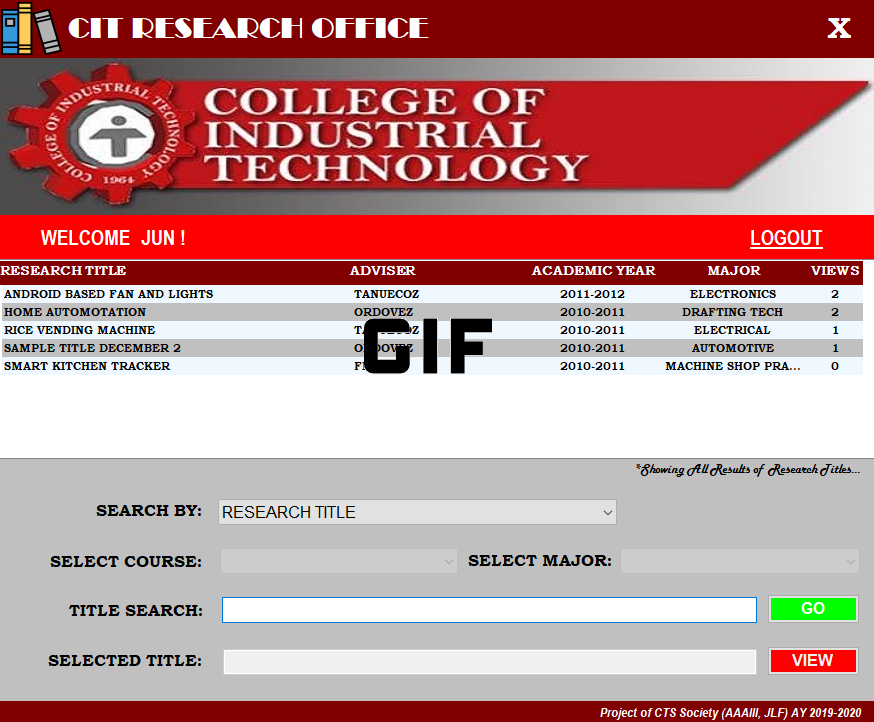
Thesis Title Searching
The Thesis Title Searching flow is where the user search for a Thesis Research Title, where they have a option to filter titles by the combination of Course and Major, Major and Adviser, Academic Year and Major or by searching just the specific title instead. If they successfully search for a title and the system gives a query results, a file browser dialog will appear where they can choose which file of the searched thesis research they want to view. This was obviously a hugely important part of the application.
Because my professor who assigned me to this task wants a system application which the designed app on a remote computer(Client Computer) can access the files of the scanned PDF documents of all previous research materials in a server computer without giving the remote computer access directly to navigate the files via file browser of the server computer. So with the help of System.IO function of VB.Net, I manage to create a algorithm to the application that can navigate and access through files of the target computer(Server Computer).
Thesis Title Searching
The Thesis Title Searching flow is where the user search for a Thesis Research Title, where they have a option to filter titles by the combination of Course and Major, Major and Adviser, Academic Year and Major or by searching just the specific title instead. If they successfully search for a title and the system gives a query results, a file browser dialog will appear where they can choose which file of the searched thesis research they want to view. This was obviously a hugely important part of the application.
Because my professor who assigned me to this task wants a system application which the designed app on a remote computer(Client Computer) can access the files of the scanned PDF documents of all previous research materials in a server computer without giving the remote computer access directly to navigate the files via file browser of the server computer. So with the help of System.IO of VB.Net, I manage to create a algorithm to the application that can navigate and access through files of the target computer(Server Computer).
File Directory Settings
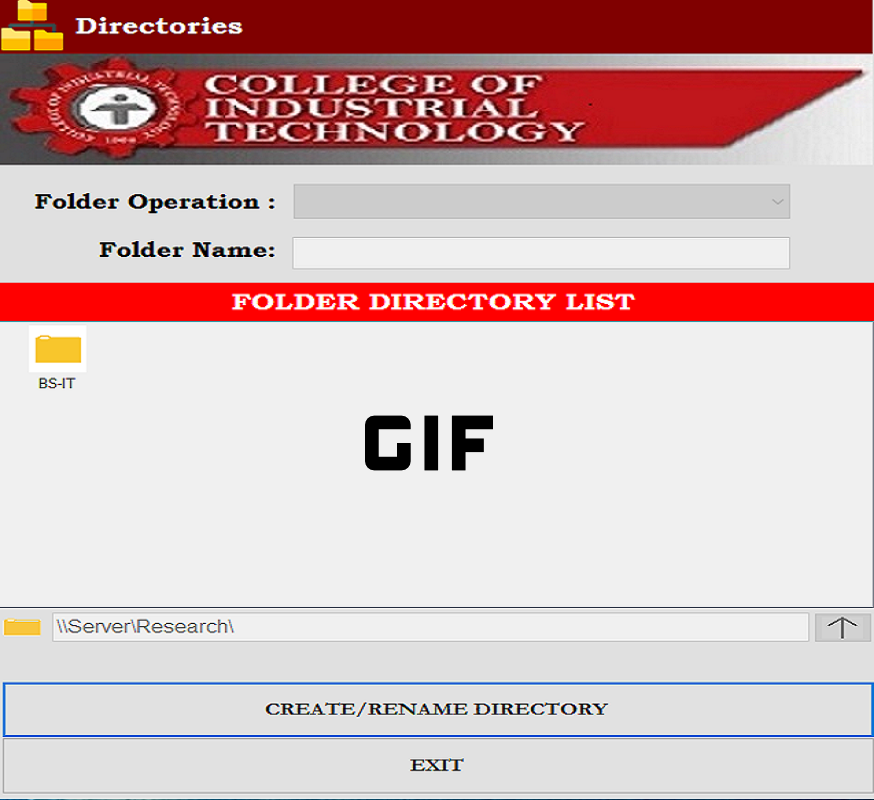
The File Directory Settings is where the Administrator of the application can create or rename folder(File Directory/Thesis Research Materials Destination folder) without going into the file directory itself(Computer`s File browser; e.g. Windows File Browser). This is a Suggestion i made when developing this application, because first, when my professor ask me this task he only wanted the important modules for this application to have is the Thesis Title filtering and A module for adding the thesis research materials.
When adding a research materials in the system you need to create a destination folder for the documents/materials of a thesis to be stored. And then a problem arouse because if he wants to add a new thesis research materials in to the system on another computer(not on the server computer), he cannot access directly the file directory from the server because of the restriction that he set on his server computer.
The Solution, I suggest that we need to add a File Directory Settings module so the application can handle the creation of folder without going to access or go to the server computer to create a new one. Thanks to the System.IO and System.Security.AccessControl of VB.Net i manage to make this module possible.
File Directory Settings
The File Directory Settings is where the Administrator of the application can create or rename folder(File Directory/Thesis Research Materials Destination folder) without going into the file directory itself(Computer`s File browser; e.g. Windows File Browser). This is a Suggestion i made when developing this application, because first, when my professor ask me this task he only wanted the important modules for this application to have is the Thesis Title filtering and A module for adding the thesis research materials.
When adding a research materials in the system you need to create a destination folder for the documents/materials of a thesis to be stored. And then a problem arouse because if he wants to add a new thesis research materials in to the system on another computer(not on the server computer), he cannot access directly the file directory from the server because of the restriction that he set on his server computer.
The Solution, I suggest that we need to add a File Directory Settings module so the application can handle the creation of folder without going to access or go to the server computer to create a new one. Thanks to the System.IO and System.Security.AccessControl of VB.Net i manage to make this module possible.
Adding the Research materials
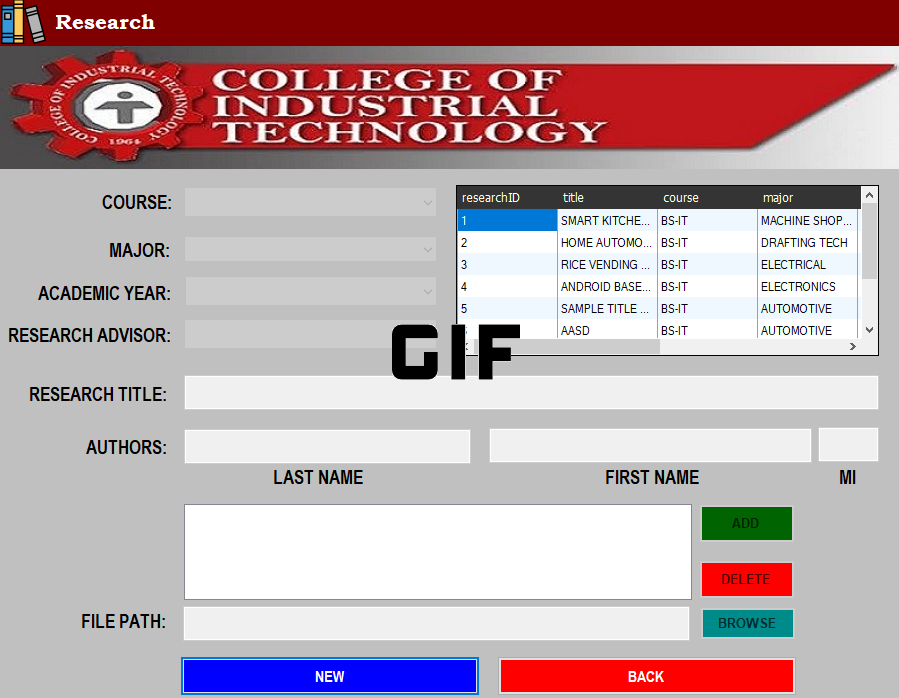
This application will be useless if there is no module for adding the Research Materials, no thesis research to be searched. So this module is responsible for adding the Thesis Research materials(This is the Scanned PDF documents of a Thesis Research in a Bookbind) into the system.
This module is the hardest to code, because of the file and directory manipulation involved. With the help of System.IO and VB.Net's built-in functions like Directory.CreateDirectory()(for creating the directory/folder) and FileSystem.CopyDirectory()(for copying the research materials) this module is successfuly done.
Adding the Research Materials
This application will be useless if there is no module for adding the Research Materials, no thesis research to be searched. So this module is responsible for adding the Thesis Research materials(This is the Scanned PDF documents of a Thesis Research in a Bookbind) into the system.
This module is the hardest to code, because of the file and directory manipulation involved. With the help of System.IO and VB.Net's built-in functions like Directory.CreateDirectory()(for creating the directory/folder) and FileSystem.CopyDirectory()(for copying the research materials) this module is successfuly done.